
Preferences
The Preferences page
Section titled “The Preferences page”Choose Edit ▸ Preferences… in the panel’s menu. Cinema 4D’s Preferences window opens on RS ID Manager’s page, listed as Chroma-ID-Manager. You can also open Edit ▸ Preferences from Cinema 4D’s own menu and pick the page from the list.
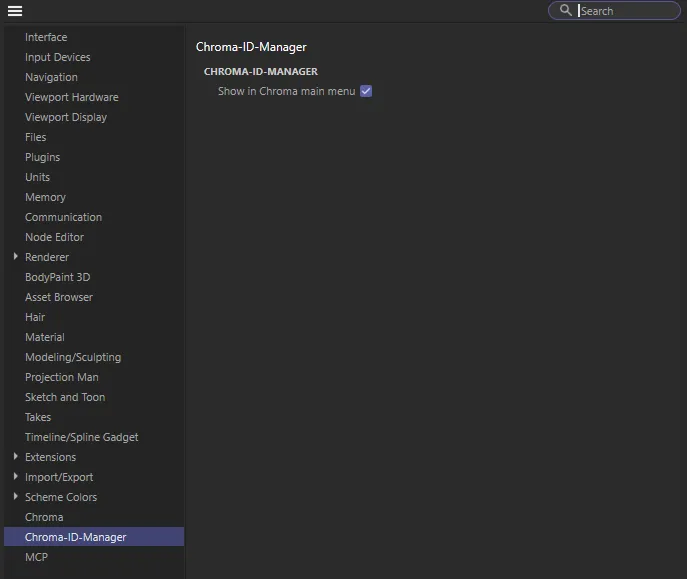
| Option | What it does |
|---|---|
| Show in Chroma main menu | On by default. Adds a Chroma menu to Cinema 4D’s main menu bar with RS ID Manager in it. Off, RS ID Manager is only under Extensions. |
This one switch is shared by every Chroma plugin: turning it off here hides the Chroma menu for all of them. Cinema 4D builds its menus at startup, so restart Cinema 4D to see the change.
What the panel remembers
Section titled “What the panel remembers”Everything else is set in the panel itself and remembered between sessions — there is nothing to save:
- which panes are showing (the Object ID and Material ID tabs);
- the split between the two panes;
- each pane’s row colour and order;
- Select Materials of Active Objects.
Where the panel sits in a docked layout is saved with your Cinema 4D layout, as for any manager.